SaaS Link Building for Founders and Small Teams
By Jake10 min read
On this page
SaaS link building starts with the audience your software serves and a resource that audience can use. A founder does not need to pitch every software publisher. A smaller campaign around one credible asset can make the work easier to review, explain, and maintain.
What you’ll learn
- Match the asset to a specific SaaS buyer or practitioner.
- Build a weekly workload from your available review time.
- Keep product claims and campaign outcomes verifiable.
Choose an asset beyond a broad homepage pitch
List the questions prospects ask before or after buying your product. Which question can you answer publicly and usefully? An onboarding checklist, migration guide, transparent calculator, or original dataset can give another publisher a reason to reference your site.
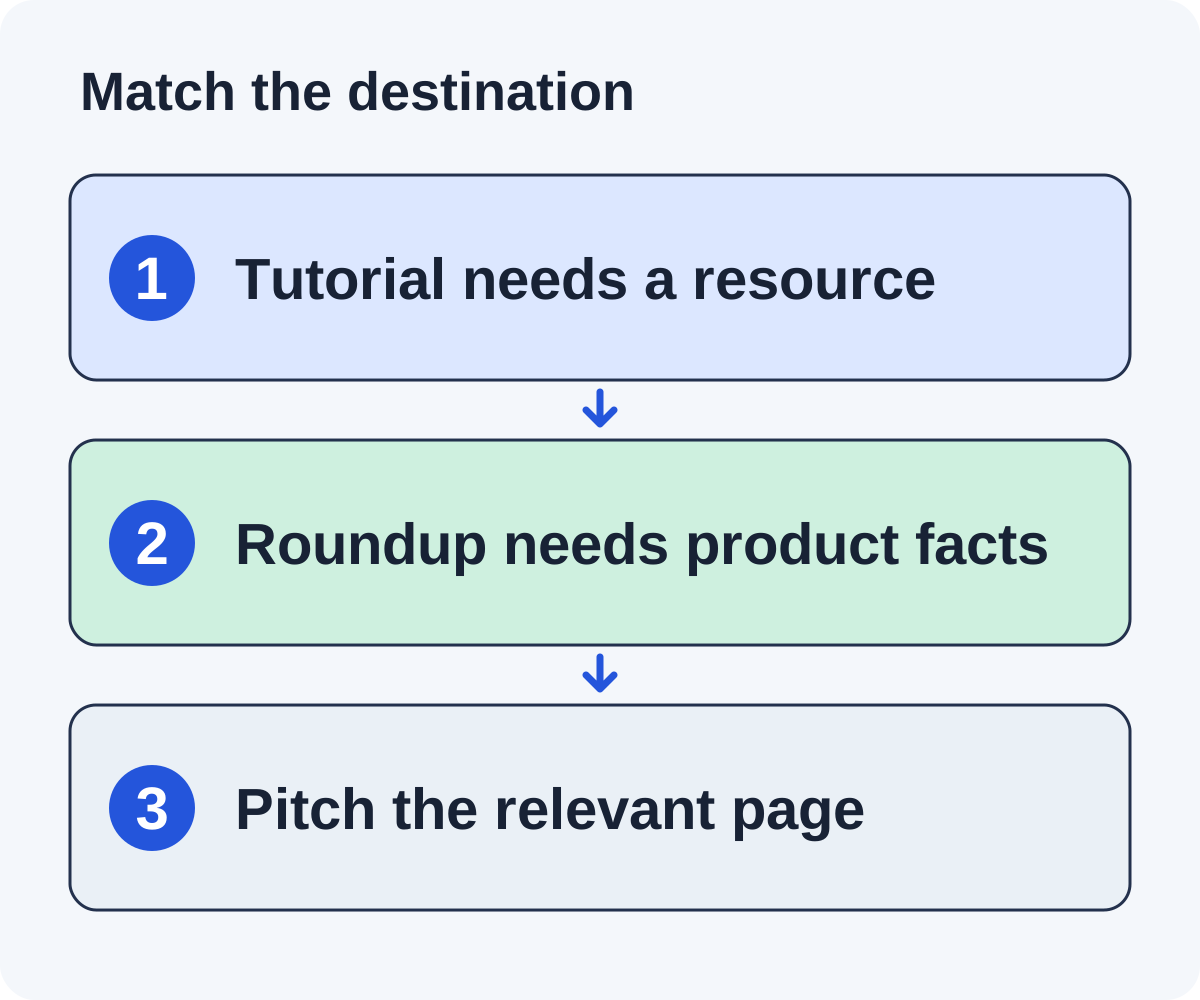
A product page is still appropriate for a relevant tool roundup. It should explain the audience, current capabilities, constraints, and price clearly. A tool editor should not need a sales conversation to understand the basic fit.
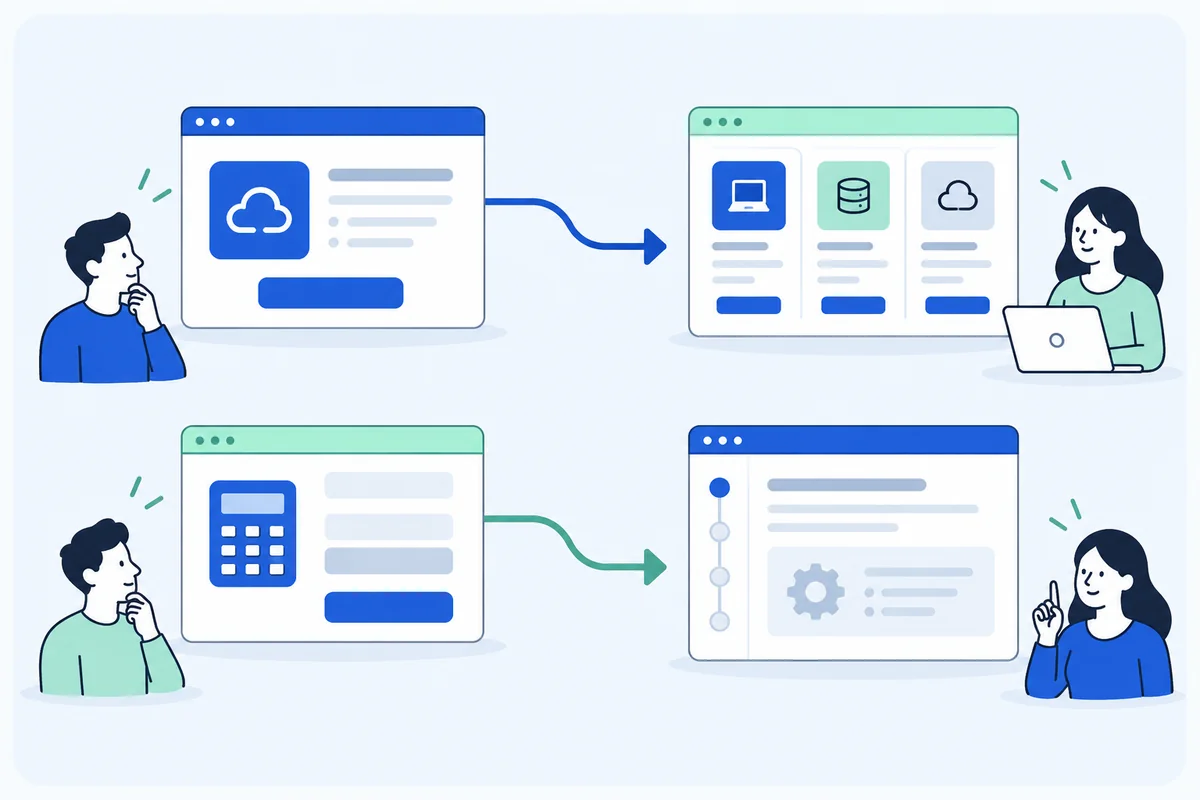
Imagine a fictional SaaS app that helps founders track subscriptions. Its homepage describes the product. Its public worksheet explains how to handle refunds in an MRR calculation. The homepage belongs in an analytics-tool comparison; the worksheet belongs in a calculation tutorial. Using the same destination for both weakens the request.
Choose the asset and destination for your growth stage
A SaaS campaign needs a narrower brief than “get links to the product.” A prelaunch founder may have a useful public explanation but few customer results. An established product may have anonymized research, a migration tutorial, or a calculator. Choose an asset your team can support with real information now.
For a new product
Start with a recurring problem you understand from building the software. Publish a complete tutorial or worksheet that helps a person solve it without buying. State assumptions and limits. A fictional retention dashboard can explain cohort definitions and provide a transparent example; it should not claim to have improved retention for customers it does not have.
For a product with real usage evidence
Consider an original analysis only when you can document the source, collection period, definitions, and limitations. Remove identifying details where needed. Do not turn a handful of conversations into a market-wide percentage. A narrow, well-described observation can be more useful to an editor than a sweeping unsupported benchmark.
For a product comparison
Use a public product page that explains the actual target user, capabilities, limits, and pricing model. Check whether the roundup serves that audience. A solo-founder product can have a credible place in a lightweight-tool list while failing an enterprise procurement list’s requirements.
Keep one campaign focused on one destination and inclusion reason. If you run a product-roundup campaign alongside a worksheet campaign, maintain separate prospect criteria and drafts so that an editor receives the right kind of request.
Find three editorial contexts
Start with tutorials about the reader’s problem, resource collections for the audience, and roundups in the product’s actual category. For each format, write a different inclusion reason.
| Format | Useful contribution | Check before pitching |
|---|---|---|
| Tutorial | A worked calculation or practical example | The relevant section lacks that example. |
| Resource page | A usable checklist or tool | The collection serves your audience. |
| Product roundup | A product serving a distinct need | You meet the list’s selection criteria. |
Don’t target an enterprise-only list because its domain looks impressive. A mismatch creates extra work for both the founder and editor. Keep rejected pages with the reason so you do not rediscover them each week.
When a page fits, identify who maintains it and whether the publisher has submission rules. The person quoted in an article may not be the person responsible for updating it.
Plan around review capacity
Start with a time budget, then estimate how many complete opportunities it supports. The following numbers are planning assumptions, not measured Linkade time savings.
Suppose a founder has two hours per week. Allocate 30 minutes to asset maintenance, 40 to page and draft review, 30 to replies, and 20 to placement checks and notes. If an opportunity takes eight minutes to review, the 40-minute review block supports about five reviewed opportunities.
Measure your real times over a few sessions. If review takes longer, reduce the batch. If most candidates fail, improve discovery criteria before increasing volume. The software subscription limit is not your editorial capacity.
Assign a backup reply owner when the founder is unavailable. Otherwise, a carefully researched campaign can create conversations nobody has time to answer.
Decide what software should handle
Useful automation can collect candidate pages, preserve observations, draft a message, and keep follow-up state. The founder still needs to define the asset, verify product claims, and decide what kinds of editorial requests are appropriate.
Linkade is built for SaaS, ecommerce, and other online business founders, and for agencies. It finds relevant sites, judges each site on its metrics and its fit with your campaign, finds a contact the site prints or one that has been verified, and writes a short first email that asks whether the publisher is interested. One credit is one qualified prospect; writing and sending emails are included rather than charged as separate credits. See the current plan details before choosing capacity.
Use Copilot, where you approve each email before it sends, when the campaign is new or the product positioning is changing. Consider Autopilot, which sends without approval, only after inspecting how the workflow handles weak evidence, replies, and stop conditions. You still write every reply yourself. A fluent draft is not proof of a relevant opportunity.
Design a founder-sized four-week pilot
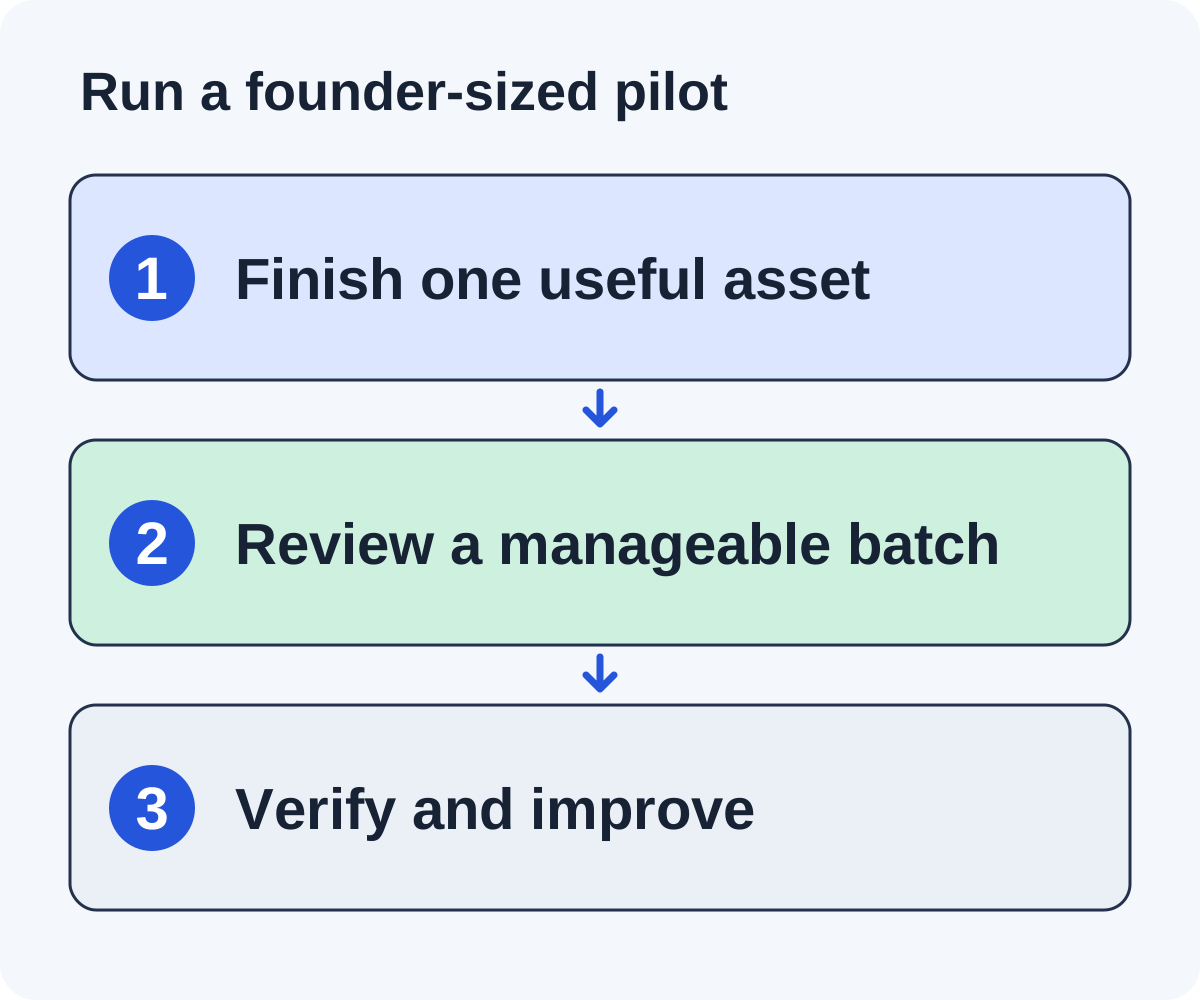
This is a planning example with assumed times, not measured Linkade performance. Imagine a founder has two hours each week and a usable public onboarding checklist. The founder wants to test whether relevant tutorials and resource collections can use it.
Week one: finish the resource and criteria
Spend the first session completing the checklist, its sample, and a short explanation of who it helps. Use the remaining time to inspect a few candidate pages from each editorial format. Write rejection reasons and confirm the resource adds something to an actual section.
Week two: review a small candidate set
Suppose forty minutes of the weekly budget is reserved for reviewing five opportunities at eight minutes each. That is a workload assumption. A complicated page may take longer. Reduce the batch when review exceeds the available time rather than skipping the contribution check.
Week three: send approved requests and handle replies
Release only the supported first emails, each asking whether the publisher is interested, with no link. Give the reply owner the asset URL and assumptions for editors who say yes. If an editor asks for a completed example, supply the existing public example or improve it. Do not promise a custom analysis the founder has no time to produce.
Week four: verify and decide
Inspect any stated inclusion and record the referring page, destination, context, and date. Separately review which candidate routes produced useful conversations and which resource questions recurred. Decide whether to improve the checklist, change the prospect format, or continue a similarly sized batch.
The pilot is successful as a workflow test when the team can explain every accepted prospect and handle each reply. A placement can be an additional outcome, but it should not be the only evidence you use to decide whether the process is sustainable.
Keep the campaign useful after a placement
Record the actual referring URL, destination, surrounding context, and date checked. Keep mentions, promised additions, and live links in separate states. Don’t report a friendly reply as a backlink.
Maintain the asset you asked people to reference. If formulas change or a feature is retired, update the page and decide whether existing references need attention. A resource that was useful when pitched should remain useful when a reader follows the link months later.
Review the campaign against your business goal: qualified visits, relevant editorial coverage, or conversations with useful publishers. Search visibility can be observed alongside these outcomes, but a small outreach campaign does not isolate what caused a ranking change.
Use the worksheet to set a realistic workload and one clear asset. The outreach workflow supplies the operational steps once those decisions are made.
Build a product-adjacent asset without turning it into a sales page
A fictional onboarding SaaS team could publish a public new-hire handoff checklist. The asset might help a small team assign tasks, confirm access, and record completion even if the reader never purchases the software. Its value comes from a usable workflow, not from repeating the product’s sales claims.
Define one audience and stage. A checklist for a ten-person team has different needs from a complex enterprise onboarding program. State the intended scope and excluded specialist requirements. Include a fictional completed example so readers can see what a usable record looks like.
Keep the commercial next step separate from the task. The page can explain how your product supports the workflow and offer a signup, while the public checklist remains usable as promised. Do not call it a free downloadable resource if obtaining it requires a sales conversation.
Prospect for pages where the workflow adds a specific contribution: a team operations tutorial, a small-business resource collection, or a guide with an incomplete handoff example. A generic product roundup requires a different eligibility check and may not be the right context for the asset.
After publication, track the actual path your analytics can observe: resource visit, download, product exploration, signup, and later customer activity. Keep missing attribution visible. A publisher reference can make the asset discoverable, but it does not guarantee every reader needs the product. Use the evidence to improve both the resource and its relevant product transition.
Connect the outreach work to a SaaS conversion path
A relevant reference can introduce someone to your resource. Decide what that visitor should do next without obstructing the promised material. A practical guide can link to the product when the software helps perform the same task. It should still answer the reader’s question if they choose not to sign up.
Use a contextual next step
After an onboarding worksheet, show how the product supports onboarding review if that is a real capability. After a finance calculation, offer a product walkthrough that uses the same definitions. A generic “book a demo” popup before the resource loads makes the editorial promise harder to fulfill.
Measure separate stages
Keep resource visits, CTA interactions, signups, and a useful product action distinct. Define the action before reporting it. A signup that never reaches a relevant task is different from a user who reviews their first useful prospect or completes an analysis.
Expect an attribution limit
Some visitors will return directly, use another device, or arrive after reading an unlinked mention. A campaign can also coincide with a product launch or pricing change. Record the data you can observe and leave the rest uncertain instead of assigning every new signup to the latest placement.
What if the product is changing quickly?
Use a resource that remains useful and date any product-specific claims. Recheck the destination before pitching it. A roadmap item is not a current capability; describe a released feature only after it can be inspected.
What if you have no customer case study?
Create a useful original tutorial or clearly labeled hypothetical example. Do not invent customers, testimonials, or outcome percentages. A founder can demonstrate expertise through transparent calculations, tested instructions, and careful explanations.
What if the team cannot handle replies?
Reduce or pause sending. Automating discovery does not create time for real editorial conversations. Assign a backup owner or wait until the first batch can be handled completely.
Review the resource after substantive product changes. An editorial reference remains useful when the linked page continues to fulfill the same promise over time.
Put it to work
Use the companion worksheet to apply the decisions in this guide to your own campaign.
Download the worksheet (.txt)See what is worth pitching for your site.
Linkade finds relevant pages and writes pitches from their content. Add your domain and inspect prospects before choosing a paid plan.
Start free