BuzzStream Alternatives: CRM or More Automated Outreach?
By Jake15 min read
On this page
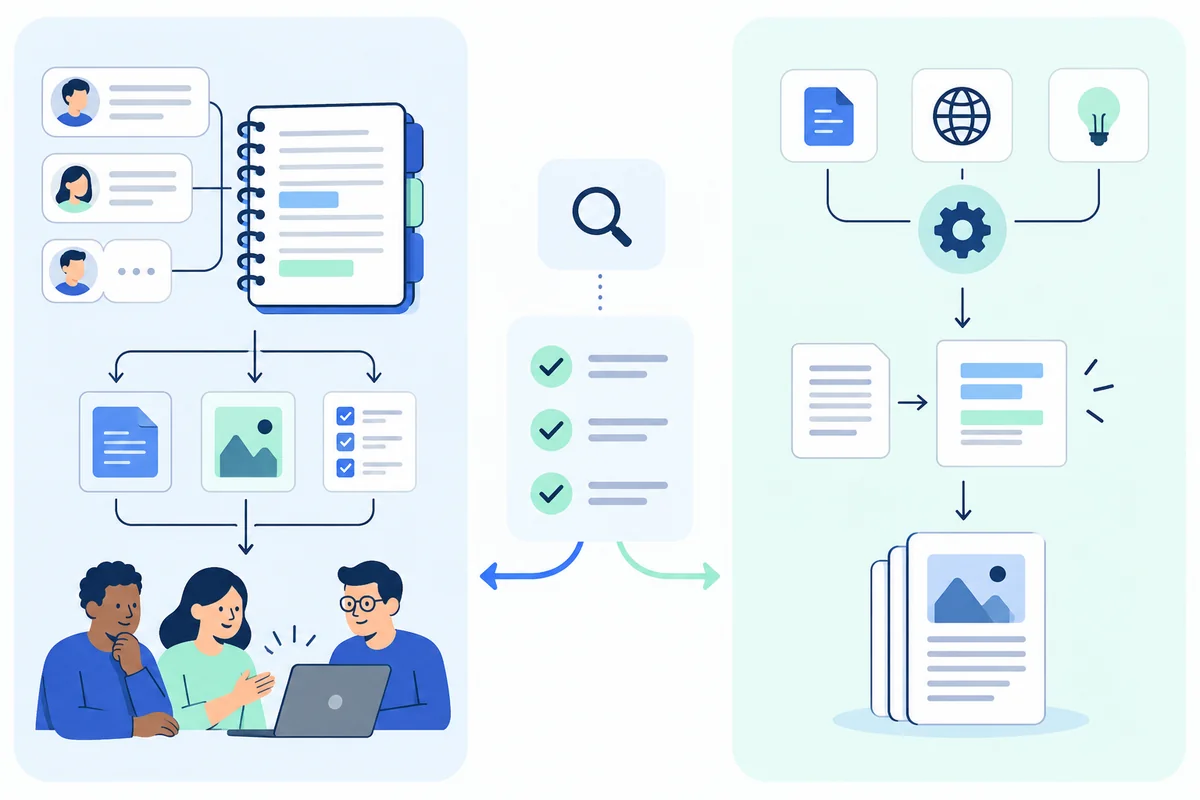
BuzzStream is an outreach CRM. It keeps your prospects, contacts, conversations and links in one shared place, while your team does the research and writes the pitches. Look for an alternative when the CRM works but the work around it is too slow, or when you need less than a CRM. This guide compares seven options, with prices checked on each vendor’s own site on October 18, 2026.
Comparing just the two? Linkade vs BuzzStream puts them side by side on price, features and who each one suits.
What you’ll learn
- Decide whether you need a different CRM or less work for your team.
- BuzzStream bills monthly with no minimum term, so leaving costs time, not a contract.
- Move opt-outs and open conversations before a new tool sends anything.
- Stay with BuzzStream if a team shares the history and writes its own pitches.
Start with what the CRM is doing for you
BuzzStream calls itself an all-in-one digital PR and link building solution. At its core it is a shared CRM: prospect lists, contact details, outreach email, conversation history and link monitoring, visible to the whole team. It has been in the market since 2008. Newer AI features find contact details and build media lists through a product called ListIQ.
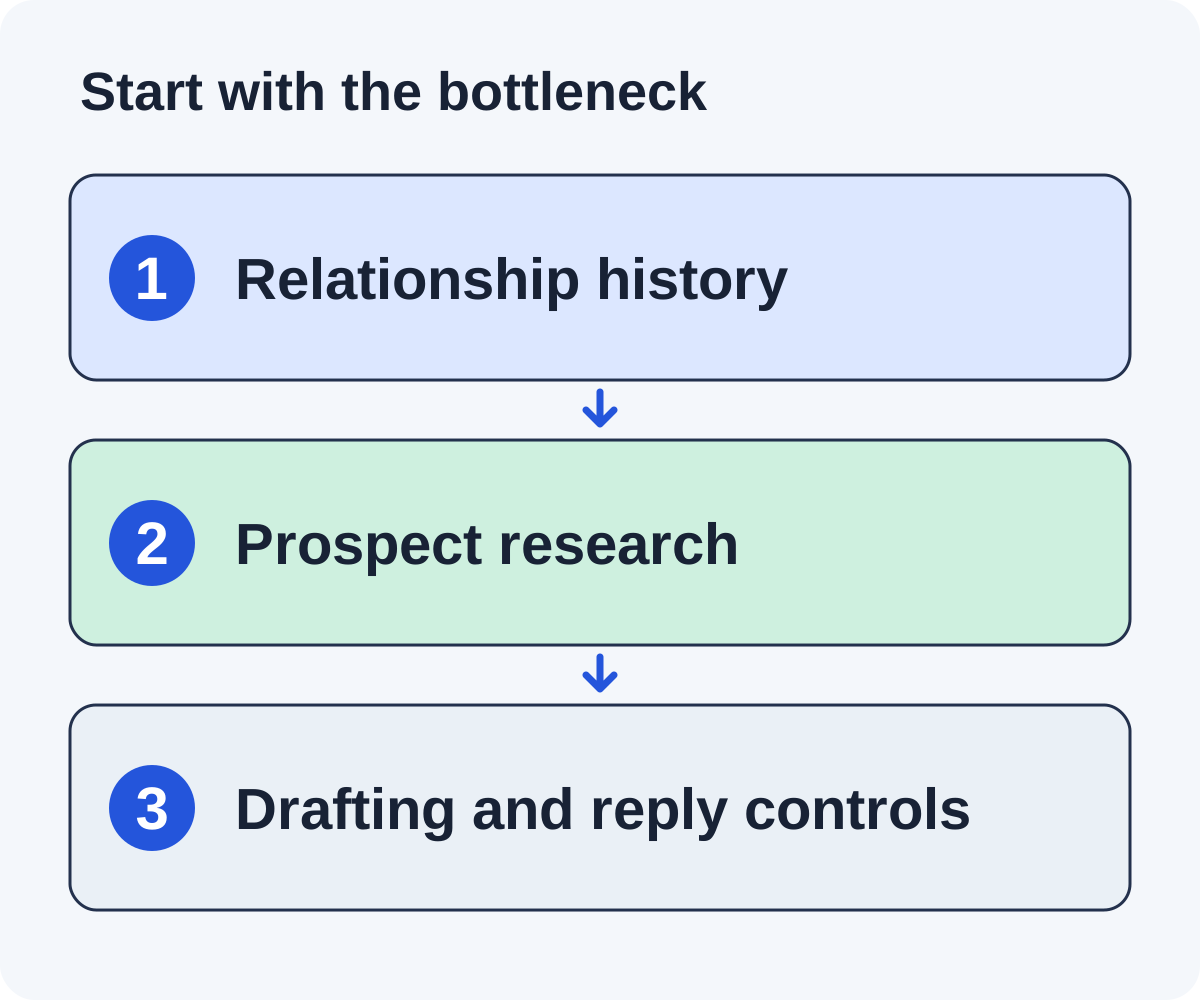
Before you replace it, list what your team uses every week. Shared history, clear owners and a record of who was pitched are often the real value. If those work, the slow part may be finding sites or writing pitches, and a different CRM won’t fix that.
Keep the relationship history
Check that a new tool can show past messages, replies, notes and owners. A publisher who said no last year should not look like a fresh lead, and an editor you know well should not get a cold first email.
Look at research and writing on their own
If most of your week goes to finding sites and writing first emails, compare how much of that each option does for you. Then check how easily you can see and correct its work.
Linkade publishes this guide, and Linkade is one of the options. Each vendor fact comes from that vendor’s own website, checked October 18, 2026. We did not run a hands-on test of every product, so treat the fit notes below as a starting point for your own trial.
Read BuzzStream’s prices and limits carefully
BuzzStream’s pricing page showed four plans on October 18, 2026:
- Starter, $49 a month: 1 user, 500 contacts, 1,000 monitored links and 30 prospecting searches.
- Growth, $174 a month: 3 users and 25,000 contacts. Each extra user costs $58.
- Professional, $424 a month: 6 users, 100,000 contacts, 100,000 monitored links, an API and team reporting. Each extra user costs $70.
- Custom, from $999 a month, for 12 or more users.
Plans are monthly with no minimum term, and you can change or cancel at any time. Paying annually gets you one month free, and there is a free trial.
A campaign that pitches a few hundred sites can outgrow Starter’s 500 contacts, and the next plan is $174. Price the plan you would actually need, then compare it with the options below unit by unit. Linkade’s plans are in its pricing section.
Compare the alternatives at a glance
| Option | Price and main limit |
|---|---|
| Linkade Best for founders and agencies who want sites found and pitched for them | Monthly plans, no contract. See pricing. Limit: not a team CRM, and you write every reply. |
| Pitchbox Best for agencies running many campaigns | From $300 a month billed monthly, or $210 billed annually. Limit: one-year commitment on every plan. |
| Respona Best for buyers who want finished placements | $100 to $500 per placement. Limit: you pay per link, and its team picks the sites by default. |
| MentionAgent Best for teams that also want AI answer checks | From $99 a month. Limit: most deals are mention swaps, and it turns down sites that charge. |
| BacklinkGPT Best for founders promoting their own site | From $149 a month. Limit: not built for agencies. |
| By hand Best for a first campaign or unusual pitches | Your email account and your time. Limit: every step is yours. |
| An agency Best for teams with budget and no time | Usually a monthly retainer. Limit: you see and control less of the work. |
For comparison, BuzzStream starts at $49 a month, billed monthly. Prices are as checked on October 18, 2026. They change, so check each vendor’s page before you buy. The sections below give the detail behind each row.
Seven BuzzStream alternatives
1. Linkade
Linkade is a link building tool that finds relevant sites and pitches them for links. Where BuzzStream organizes research your team does, Linkade does the research. It finds sites through competitor backlinks, search results and web research, then judges each site on its metrics and its fit with your campaign. It turns down competitors, sites that don’t publish and sites outside your market, but it doesn’t turn down sites that charge. It uses a contact the publisher prints on the site, or one it has verified.
The first email is short and asks whether the publisher is interested, with no link until they say yes. Linkade sends it from a sender domain and mailbox it buys for each workspace, after 21 days of warm-up. In Copilot, the default, you approve each email. In Autopilot, Linkade sends the emails that match your campaign’s brief. It sorts each reply, and it checks each placed link every 24 hours to see whether it is live, lost or changed.
It fits founders and agencies who want sites found and pitched for them. Plans are monthly and you can cancel any time. See current plans. Setup shows you the real sites it would pitch for your domain for free, with no card. There is no free trial: contacts, drafts and sending open once you pick a plan.
The limit matters for BuzzStream users. Linkade is not a CRM for a team that researches and writes by hand, and there is no way to invite a teammate. You write every reply yourself. It also started in 2026, so its track record is short. For a side-by-side view, read Linkade vs BuzzStream.
2. Pitchbox
Pitchbox calls itself “The AI Outreach Platform for link building and AEO.” It covers prospecting, AI personalization, outreach, a CRM built for link building and reporting. Its AI Reply Agent answers publisher replies, and agencies can send white-label reports. You can connect your own Ahrefs, Semrush, Moz or Majestic account, and it works with Zapier and Slack and has an API. Its site shows a 4.7 out of 5 rating on G2.
It suits agencies and teams building 20 or more links a month. On its pricing page, Pro costs $300 a month billed monthly or $210 a month billed annually, for 2 users and 2 email accounts. Advanced costs $600 or $420, and Scale $1,200 or $825. Free trials come after a demo, or you can subscribe from the pricing page.
The limit is the contract. Every Pitchbox plan needs a one-year commitment, whichever way you pay, and Pro on monthly billing costs about six times BuzzStream Starter. See Linkade vs Pitchbox.
3. Respona
Respona now sells link placements as a managed service. You order a placement, and its team finds the site, runs the outreach, writes the content and gets it published. Formats include listicles, reviews, comparisons and contextual guest posts. Respona guarantees every placement you order goes live within the agreed timeframe. Standard turnaround is 28 days, or 14 for an extra fee.
It suits companies that would rather buy placements than run outreach. On its pricing page, a placement costs $100 on a DR 20+ site, $160 on DR 30+, $240 on DR 40+, $400 on DR 50+ and $500 on DR 60+. Spending $3,000 a month earns 10% off, and the discount grows with spend, up to 60%. Respona’s old outreach software lives on as AI Backlink Builder in the Semrush App Center, which Semrush lists at $169 a month on the Starter plan.
The limit is control. By default Respona handles everything end to end, including which sites you land on, and pre-approving each domain costs extra. That is the opposite of BuzzStream, where your team chooses every site. See Linkade vs Respona.
4. MentionAgent
MentionAgent is an AI agent rather than a CRM. It finds posts in your niche, checks which sites are worth pitching, gets the editor’s email and writes each pitch about that editor’s post. Emails go out from a Gmail inbox on a separate domain it runs for you, and by default each one waits for your approval. It also drafts your replies, follows up when a site goes quiet and checks your live links nightly. Twice a month it asks ChatGPT, Claude and Gemini the questions your buyers ask and shows you the answers that mention you.
It suits agencies, ecommerce, SaaS and local businesses that want AI answer checks alongside outreach. Plans are priced by sending inbox: $99 a month for one, $179 for two, $329 for four and $629 for eight. You get 50 free credits with no card, and a 14-day money-back guarantee.
Most of its deals are mention swaps, where you mention the blog back, and it turns down sites that ask for a fee. A team used to BuzzStream’s shared records should also test how history and ownership carry over. See Linkade vs MentionAgent or MentionAgent alternatives.
5. BacklinkGPT
BacklinkGPT is an AI agent for roundups and guides. It finds them in your niche, writes down a reason to keep or drop each page, and finds the editor’s email and LinkedIn. Pitches go out as you, from your own inbox or LinkedIn profile. The agent follows up, negotiates when a site wants a fee and warns you if a won link drops or goes nofollow. BacklinkGPT says most good sites ask a fee, often $75 to $250, and you approve every payment.
It suits business owners and founders promoting their own site. Starter costs $149 a month for one inbox or LinkedIn profile, with up to 6 pitch drafts a day. Growth costs $399 for up to 3 inboxes and 12 a day, and Scale $999 for up to 6 inboxes and 25 a day. Extra inboxes or profiles are $19 a month each. There is a free preview with no card, and no trial.
The limit: BacklinkGPT says it is not built for agencies or resellers managing client sites, which rules it out for many BuzzStream teams. See Linkade vs BacklinkGPT or BacklinkGPT alternatives.
6. Doing it by hand
A spreadsheet and your normal email account can run a small campaign. You search for sites, check each one, find a contact, write the email, track the reply and check the link later. There’s no software fee beyond the email account you already pay for.
This suits a first campaign, or a solo founder who only needs a few links. Our guides to finding link building contacts and follow-ups cover the manual steps.
The limit is your time, and the record keeping BuzzStream does for you. Follow-ups, owners and opt-outs slip easily in a spreadsheet once more than one person works it.
7. Hiring an agency
A link building or digital PR agency runs the whole job for you. You agree on goals, and the agency finds sites, pitches them and reports back.
This suits teams with budget and no time. Agencies set their own prices, and few publish them. For a rough guide, BuzzStream surveyed about 70 digital PR agencies and freelancers. About 90% of the agencies charged a monthly retainer, the average monthly contract was about $5,458, and the average cost per link for digital PR was $597 (BuzzStream’s digital PR cost survey, updated June 12, 2026).
The limit is how much of the work you can see. Ask which sites they will pitch, who writes the emails, whether you approve them and who keeps the publisher relationships if you leave.
When to stay with BuzzStream
BuzzStream is the better fit for many teams, and switching takes time even without a contract. Stay if most of these describe you:
- Several people work the same contacts and need their own logins, permissions and team reports. Linkade has no way to invite a teammate.
- Your team prefers to research and write each pitch itself. BuzzStream is built for that way of working.
- You do digital PR as well as link building and use media lists.
- You monitor a large set of links. Professional covers 100,000.
- You rely on its API or on years of stored conversations.
- You want to try before you pay. BuzzStream has a free trial, and Linkade has none.
BuzzStream has also been in the market since 2008. A tool that started in 2026 can’t match that record.
If only one task hurts, change that task and keep the CRM. Better research inputs or tighter review rules can fix a slow week without moving your records.
Test a relationship handoff before you migrate
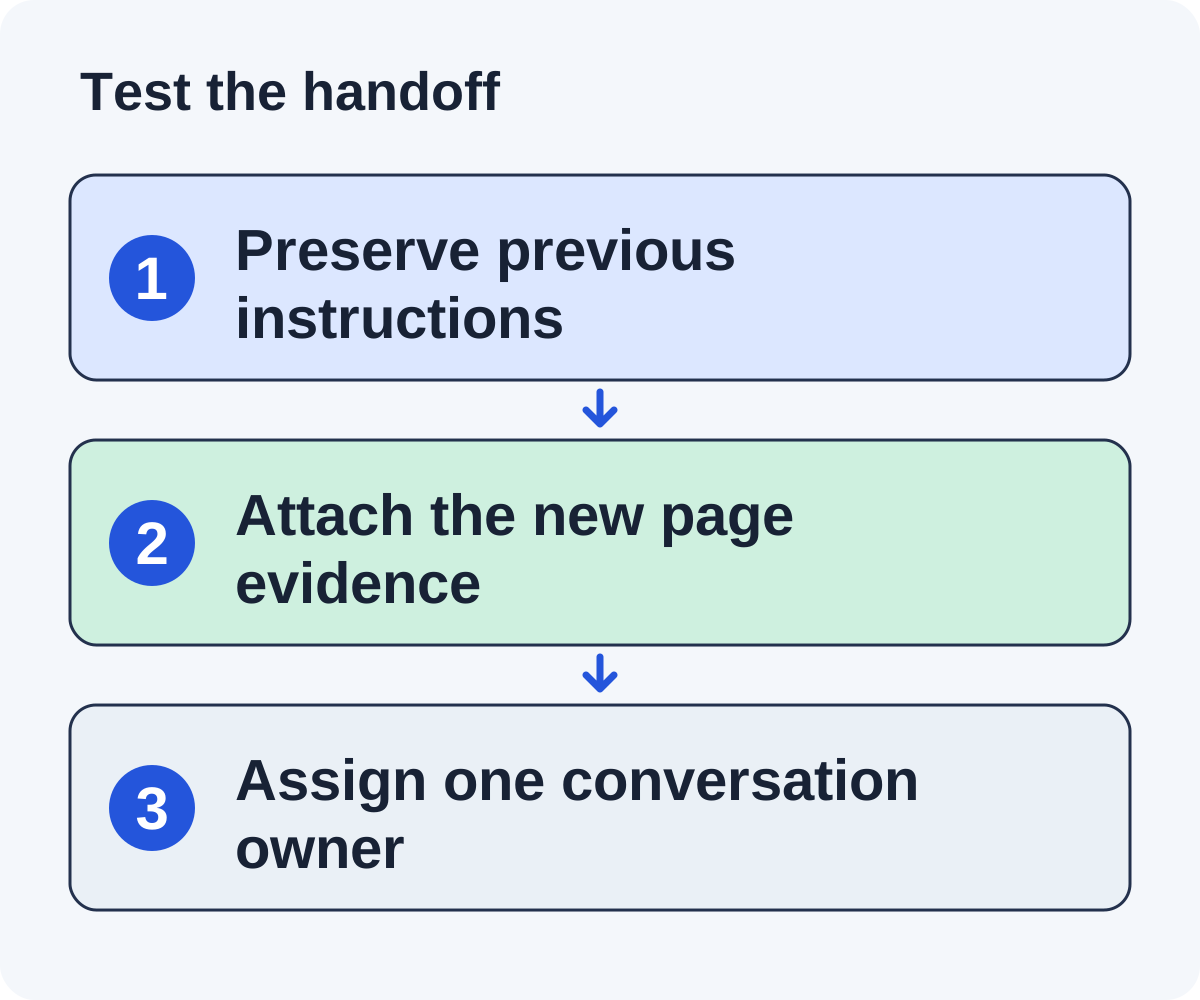
Make up one publisher record with an old conversation and a new site to pitch. Use it to test each tool on your shortlist. This is a test for you to run, not one we ran across these products.
Prepare the record
Include the earlier request, the editor’s reply, where the contact came from, any instruction to stop and the current owner. Add the new site as a separate opportunity.
Ask someone new to explain the next step
A teammate who has never seen the record should be able to tell whether a new email is appropriate, which site it concerns and who owns the conversation. If the imported record hides those facts, the migration lost the useful part of the CRM.
Check the draft against the history
Follow the new site from first look to drafted email. Does the draft fit the existing relationship? A generic first introduction is wrong when the editor already knows you.
Check stops and owners
See how the tool handles a reply, an opt-out, a wrong contact or a new owner. No scheduled follow-up should go out just because an imported row still has a sequence attached.
Check the way out
Export the record again from the new tool. Mark which fields came out intact, which needed changes and which were lost. Mark each check as passed, unresolved or failed, and settle the important unknowns before you move your contact history.
Plan the migration or keep the current workflow
Export what you need before you cancel: conversation history, where each contact came from, opt-outs, open tasks and placed links. BuzzStream bills monthly with no minimum term, so you can time the switch to your own schedule.
Move the opt-outs and declines first. Then make sure the new tool actually blocks them, so nobody who asked you to stop gets a new email. In Linkade, a blocked address covers every workspace in your organization, and an unsubscribe blocks the whole domain.
Run a small pilot alongside BuzzStream with one owner per publisher, so the same editor doesn’t hear from two tools. Compare the time you spend reviewing, how complete the reasoning is, and how many handoff mistakes you find. Those numbers tell you more than a “best alternative” label.
If BuzzStream already handles the main job, you may only need help with research. A full move is worth it when the gain survives the migration work and you keep the controls you rely on.
Audit a migration with a closed and an open relationship
Use two made-up records in your migration trial. The first publisher declined a request and asked for no more emails. The second has an open conversation and is waiting for an example you promised.
For the closed record, export the publisher, the contact, the decline and its date. Import them and check that a new campaign keeps that contact out. A note nobody reads is weaker than a block the tool enforces.
For the open record, keep the site, the original pitch, the reply, the owner, the promised example and the due date. Hand it to a new owner and check that they can answer without rebuilding the conversation from memory.
Then import both records a second time. The closed contact should not become a new prospect, and the open request should not start two follow-up sequences. Write down what happened rather than assuming a match on domain catches every case.
If the migration loses either state, keep BuzzStream for records and change only how you research or write.
Questions to resolve about price, limits and moving records
How much does BuzzStream cost?
On October 18, 2026, BuzzStream Starter cost $49 a month, Growth $174, Professional $424 and Custom from $999. Plans are monthly with no minimum term, and paying annually gets you a month free.
Does BuzzStream have a free trial?
Yes. Its FAQ says you won’t be charged if you cancel during the trial period.
Which alternative does the research and writing for me?
Linkade, MentionAgent and BacklinkGPT all find sites and draft pitches for you. They differ in who sends the email, whether they suit agencies and what happens after a link goes live. Respona and agencies do all of it, for a price per link or a retainer.
Which alternative is closest to BuzzStream?
Pitchbox, if you want another CRM-style platform for a team. It costs more and asks for a one-year commitment. Doing it by hand with a shared spreadsheet is the closest low-cost option.
Can I import my BuzzStream list and keep sending?
Map statuses, opt-outs, owners and duplicates first. Review a sample of full histories. A successful import only tells you the file loaded. It doesn’t tell you the next email is right.
How should I handle duplicate publisher records?
Keep separate opportunities where they matter, with one owner for the relationship and the replies. Clear duplicate contacts and active sequences before anything sends. Don’t throw away old history to make the list look tidy.
When should I keep BuzzStream?
Keep it when it supports how your team works at a cost you’re happy with. A tool change should fix a task that is failing. A shorter feature list is not a reason on its own.
Put it to work
Use the companion worksheet to apply the decisions in this guide to your own campaign.
Download the worksheet (.txt)Sources and further reading
See what is worth pitching for your site.
Linkade finds relevant pages and writes pitches from their content. Add your domain and inspect prospects before choosing a paid plan.
Start free