Pitchbox Alternatives for Small Teams: How to Choose
By Jake16 min read
On this page
A small team looking for a Pitchbox alternative usually wants a smaller bill or a shorter commitment. This guide compares seven options against Pitchbox: five other products, doing the work by hand and hiring an agency. Every price was checked on the vendor’s own site on October 18, 2026, and each option comes with the limit you should know before you switch.
Comparing just the two? Linkade vs Pitchbox puts them side by side on price, features and who each one suits.

What you’ll learn
- Name the task you want to change before you compare tools.
- Pitchbox’s monthly price still comes with a one-year commitment.
- Put each billing unit next to the work your team would still do.
- Stay with Pitchbox if you use its integrations, reply agent or client reports.
Decide why you are considering a change
Write down the friction before you look at other tools. It might be the price, the one-year contract, the setup, or the hours your team still spends finding sites and writing pitches. “We want something simpler” is hard to test. “Finding sites takes most of our week” is a requirement you can check against each option.
Then write down what you must keep. If your team relies on Pitchbox’s record of past conversations, a cheaper tool that loses that record can cost more than it saves. An alternative also doesn’t have to replace every feature. It has to do the job you need done.
Linkade publishes this guide, and Linkade is one of the options. Each vendor fact comes from that vendor’s own website, checked October 18, 2026. We did not run a hands-on test of every product, so treat the fit notes below as a starting point for your own trial.
Understand the Pitchbox reference point
Pitchbox calls itself “The AI Outreach Platform for link building and AEO.” It covers prospecting, AI personalization, outreach, deliverability, a CRM built for link building and reporting. Its AI Reply Agent answers publisher replies, which Pitchbox describes as negotiating and building links on autopilot. Agencies can send white-label reports to their clients. You can connect your own Ahrefs, Semrush, Moz or Majestic account, and it works with Zapier, Slack and Google Data Studio and has an API.
Its pricing page lists four plans. Pro costs $300 a month billed monthly, or $210 a month billed annually. Advanced costs $600 or $420, Scale $1,200 or $825, and Enterprise is priced on request. The FAQ says every plan needs a one-year commitment, whichever way you pay, and that annual billing saves 30%. Pro includes 2 users, 2 email accounts, 2,000 outreach emails, 1 workspace and 1,000 prospecting searches a month.
So a year of Pro costs $2,520 billed annually or $3,600 billed monthly. Hold every alternative against that number, along with the work each one leaves with you.
Pitchbox says it is built for teams building 20 or more links a month, from solo in-house SEOs to agencies managing hundreds of clients. If that describes you, it may already be the right tool. If you build fewer links, start by questioning the commitment.
Compare the alternatives at a glance
| Option | Price and main limit |
|---|---|
| Linkade Best for founders and agencies who want sites found and pitched for them | Monthly plans, no contract. See pricing. Limit: new in 2026, and you write every reply. |
| BuzzStream Best for teams that research and write their own pitches | From $49 a month, billed monthly. Limit: finding sites and writing pitches stay with you. |
| Respona Best for buyers who want finished placements | $100 to $500 per placement. Limit: you pay per link, and its team picks the sites by default. |
| MentionAgent Best for teams that also want AI answer checks | From $99 a month. Limit: most deals are mention swaps, and it turns down sites that charge. |
| BacklinkGPT Best for founders promoting their own site | From $149 a month. Limit: not built for agencies. |
| By hand Best for a first campaign or unusual pitches | Your email account and your time. Limit: every step is yours. |
| An agency Best for teams with budget and no time | Usually a monthly retainer. Limit: you see and control less of the work. |
For comparison, Pitchbox starts at $300 a month on monthly billing, with a one-year commitment. Prices are as checked on October 18, 2026. They change, so check each vendor’s page before you buy. The sections below give the detail behind each row.
Seven Pitchbox alternatives
1. Linkade
Linkade is a link building tool that finds relevant sites and pitches them for links. It finds sites through competitor backlinks, search results and web research, then judges each site on its metrics and its fit with your campaign. It turns down competitors, sites that don’t publish and sites outside your market, but it doesn’t turn down sites that charge. It uses a contact the publisher prints on the site, or one it has verified. The first email is short and asks whether the publisher is interested, with no link until they say yes.
Linkade buys a sender domain and one mailbox for each workspace and warms the mailbox up for 21 days before it sends. In Copilot, the default, you approve each email. In Autopilot, Linkade sends the emails that match your campaign’s brief. It sorts each reply, and it checks each placed link every 24 hours to see whether it is live, lost or changed.
It fits founders and agencies who want the research and the first emails done for them, without running a CRM. Plans are monthly, with no annual contract and no demo to book. See current plans. Setup shows you the real sites it would pitch for your domain for free, with no card. There is no free trial: contacts, drafts and sending open once you pick a plan.
The limits are real. Linkade started in 2026, so its track record is short. It doesn’t write your replies, there is no way to invite a teammate, and a new mailbox needs 21 days of warm-up before the first email. For a side-by-side view, read Linkade vs Pitchbox.
2. BuzzStream
BuzzStream is an outreach CRM for digital PR and link building. Your team keeps prospects, contact details, outreach email and link monitoring in one shared place. It has been in the market since 2008, and its newer AI features find contact details and build media lists.
It suits teams that research and write their own pitches. On its pricing page, Starter costs $49 a month for 1 user and 500 contacts. Growth costs $174 for 3 users and 25,000 contacts, and Professional $424 for 6 users and 100,000 contacts. Plans are monthly with no minimum term, paying annually gets you a month free, and there is a free trial.
Its limit, for a team leaving Pitchbox, is that BuzzStream organizes the work and leaves most of it with you. Your team still decides which sites deserve a pitch and writes each one. See Linkade vs BuzzStream.
3. Respona
Respona now sells link placements as a managed service. You order a placement, and its team finds the site, runs the outreach, writes the content and gets it published. Formats include listicles, reviews, comparisons and contextual guest posts. Respona guarantees every placement you order goes live within the agreed timeframe. Standard turnaround is 28 days, or 14 for an extra fee.
It suits companies that would rather buy placements than run outreach. On its pricing page, a placement costs $100 on a DR 20+ site, $160 on DR 30+, $240 on DR 40+, $400 on DR 50+ and $500 on DR 60+. Spending $3,000 a month earns 10% off, $5,000 earns 20%, and the discount reaches 60% at the highest spend. Respona’s old outreach software lives on as AI Backlink Builder, an app by Respona in the Semrush App Center. Semrush lists it at $169 a month on the Starter plan.
The limit is control. You pay for every link, and by default Respona handles everything end to end, including which sites you land on. Pre-approving each domain costs extra. See Linkade vs Respona.
4. MentionAgent
MentionAgent is an AI agent that finds posts in your niche, checks which sites are worth pitching and gets the editor’s email. It writes each pitch about the publisher’s post and sends it from a Gmail inbox on a separate domain it runs for you. By default, every email waits for your approval. It drafts your replies, follows up when a site goes quiet and checks your live links nightly. Twice a month it asks ChatGPT, Claude and Gemini what your buyers ask and shows the answers that mention you.
It suits agencies, ecommerce, SaaS and local businesses that want AI answer checks alongside outreach. Plans are priced by sending inbox: $99 a month for one, $179 for two, $329 for four and $629 for eight. You get 50 free credits with no card, and a 14-day money-back guarantee.
Most of its deals are mention swaps, where you mention the blog back, and it turns down sites that ask for a fee. Plans also run on monthly credits, so check how far they go for your campaign. See Linkade vs MentionAgent or MentionAgent alternatives.
5. BacklinkGPT
BacklinkGPT is an AI agent that finds roundups and guides in your niche and marks each page keep, drop or a second look, with the reason written down. It finds the editor’s email and LinkedIn, then pitches from your own inbox or LinkedIn profile, as you. It follows up, negotiates when a site asks for a fee and tells you if a won link drops or goes nofollow. Its site says most good sites ask a fee, often $75 to $250, and every payment waits for your OK.
It suits business owners and founders promoting their own site. Starter costs $149 a month for one inbox or LinkedIn profile, with up to 6 pitch drafts a day. Growth costs $399 for up to 3 inboxes and 12 a day, and Scale $999 for up to 6 inboxes and 25 a day. Extra inboxes or profiles are $19 a month each. There is a free preview with no card, and no trial.
The limit: BacklinkGPT says it is not built for agencies or resellers managing client sites. Pitches also go out from your own accounts, so your main inbox does the sending. See Linkade vs BacklinkGPT or BacklinkGPT alternatives.
6. Doing it by hand
A spreadsheet and your normal email account can run a small campaign. You search for sites, check each one, find a contact, write the email, track the reply and check the link later. There’s no software fee beyond the email account you already pay for.
This suits a first campaign, or pitches so unusual that no tool handles them well. It is also a cheap way to learn what a good prospect looks like before you pay for software. Our guides to link building prospecting and outreach templates cover the manual steps.
The limit is your time. Every step above is yours, and follow-ups and opt-outs slip easily in a spreadsheet.
7. Hiring an agency
A link building or digital PR agency runs the whole job for you. You agree on goals, and the agency finds sites, pitches them and reports back.
This suits teams with budget and no time. Agencies set their own prices, and few publish them. For a rough guide, BuzzStream surveyed about 70 digital PR agencies and freelancers. About 90% of the agencies charged a monthly retainer, the average monthly contract was about $5,458, and the average cost per link for digital PR was $597 (BuzzStream’s digital PR cost survey, updated June 12, 2026).
The limit is how much of the work you can see. Before you sign, ask which sites they will pitch, who writes the emails, whether you approve them and who keeps the publisher relationships if you leave.
When to stay with Pitchbox
Pitchbox is the better choice for some teams, and switching has a cost of its own. Stay if most of these describe you:
- You run many campaigns at once, for many clients, and send them white-label reports.
- You rely on its integrations with Ahrefs, Semrush, Moz, Majestic or Zapier, or on its API.
- You want an AI agent to answer publisher replies. Linkade sorts replies, but you write every answer.
- Several people need their own logins. Linkade has no way to invite a teammate.
- You build 20 or more links a month, and a one-year commitment matches how you plan.
- Your contract has months left to run. Paying for two tools until it ends rarely makes sense.
Pitchbox also shows a 4.7 out of 5 rating from G2 on its site. A tool that started in 2026, like Linkade, has no comparable record yet.
If only one task hurts, change that task first. You can keep Pitchbox for sending and records while you test a different way of finding sites on a small sample, then decide at renewal.
Compare the billing unit and the work left to you
Each option charges for something different. Pitchbox charges per plan, with limits on users, email accounts, outreach emails and searches. BuzzStream charges per plan and per extra user, with a cap on stored contacts. Respona charges per placement. MentionAgent charges per sending inbox, with monthly credits. BacklinkGPT charges per plan, with a daily limit on pitch drafts. Agencies mostly charge a retainer. Linkade charges a monthly plan, shown on its pricing section.
So a contact, a search, an email and a placement are four different units. Write down what one unit buys from each vendor and put it next to the task you need done. A plan with a big number in it may cover a smaller part of the job.
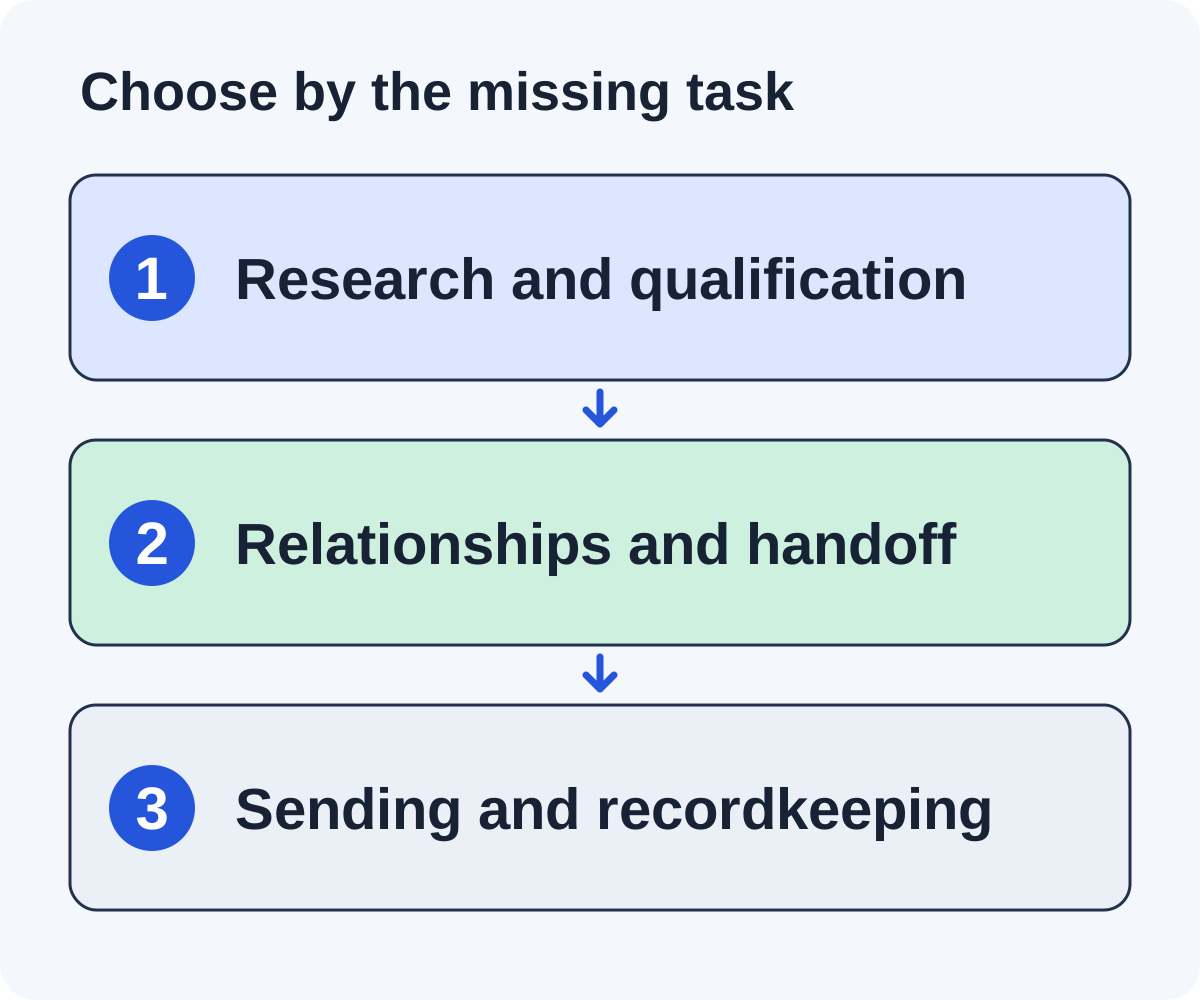
Then list the work left with your team under each option. Finding sites, checking them, finding contacts, writing pitches, answering replies, writing guest posts and checking links each take time. Put your own hours next to every task. The cheapest plan can cost more overall if it leaves the slowest task with you.
Run a five-page test instead of counting features
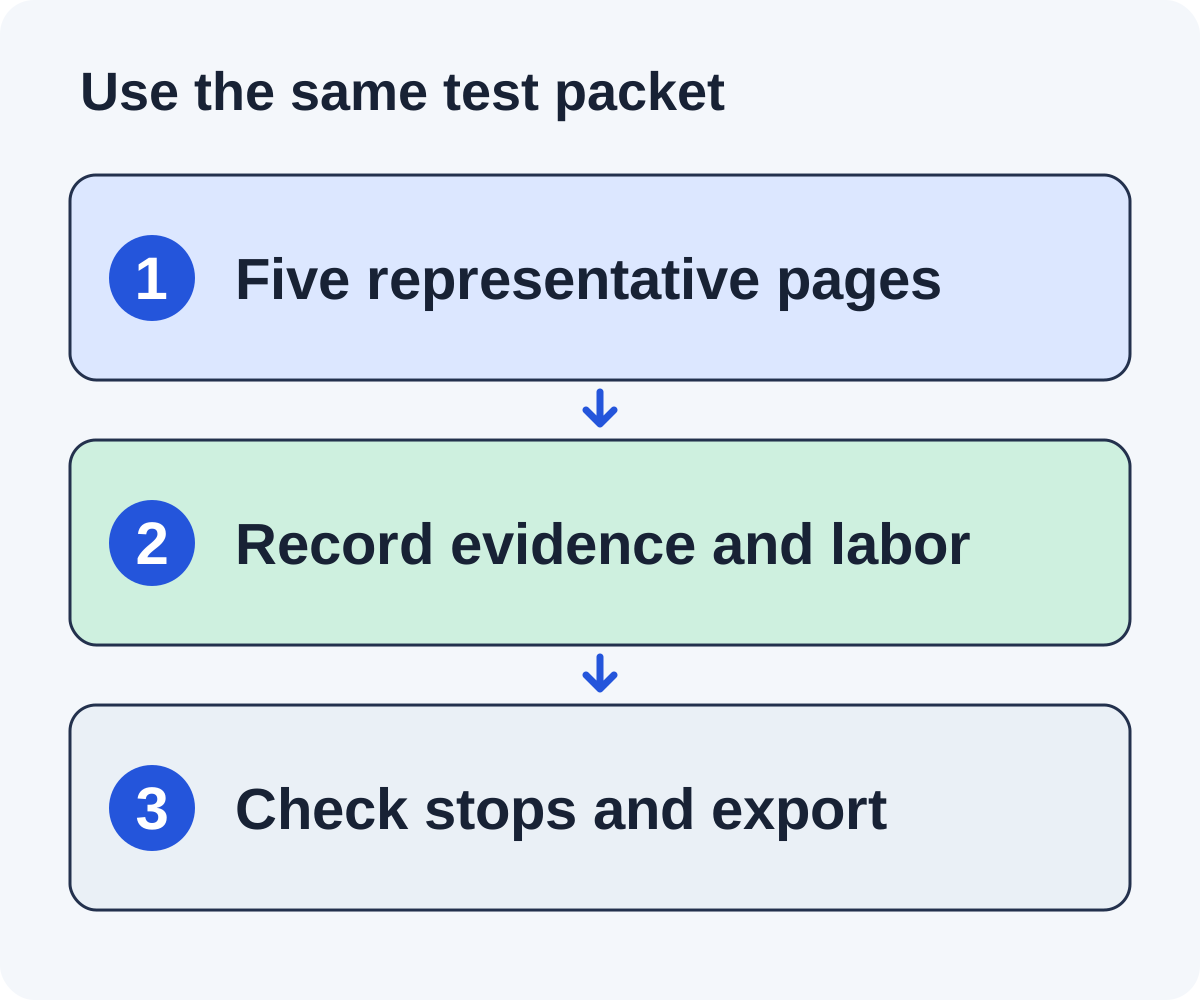
Pick the same five pages and run them through each option on your shortlist. Include a clear fit, a relevant roundup, a site that already links to you, a site where you can’t find a contact, and a big site that has nothing to do with your market. This is a test for you to run. We have not run it across these products.
Step one: check the reasoning
For each site, can you see why the option kept or dropped it? A good option drops the off-market site even when its metrics look strong. It should also notice the site that already links to you.
Step two: list the human tasks
Write down who finds the contact, edits the pitch, approves sending, answers the reply and checks the placement. A feature list can hide work that stays manual. Note the minutes each task takes you.
Step three: test the stops
Check what happens when a reply arrives, someone opts out, an address bounces or you hold back approval. Follow-ups should stop when a publisher replies, and an opt-out should hold across every campaign.
Step four: check what you can take with you
See which records export: the site, the contact and where it came from, the message, the status and the replies. A tool that is hard to leave gets more expensive the longer you use it.
Step five: compare a full year
Add a year of fees to the hours your team still spends. For Pitchbox, count the one-year commitment. Then pick the option that does the job you defined, even if its feature list is shorter.
The worksheet at the end of this guide turns the test into a one-page shortlist.
Calculate the difference between payment and operating cost
Take fees from the vendor pages and hours from your own test. Here is a worked example with two list prices from October 18, 2026: Pitchbox Pro at $300 a month on monthly billing, and BuzzStream Growth at $174 a month. The fee difference is $126 a month.
Say your team’s time is worth $50 an hour. Then $126 buys about 2.5 hours. If the cheaper tool leaves you four extra hours of work each month, it costs $200 more in time and $74 more overall. If it saves you two hours instead, it wins on both counts. These are sums to show the method, not measured results for either product.
Next, add the commitment. Pitchbox Pro on monthly billing is still a one-year agreement, so the year costs $3,600 even if you stop using it in month three. BuzzStream’s plans are monthly with no minimum term. A plan you can cancel lowers the cost of choosing wrong.
Finally, count the switch itself: setup time, any months you pay for two tools, and the history you need to move. Carry opt-outs and open conversations across before anything new goes out.
Questions to resolve before changing tools
How much does Pitchbox cost?
On October 18, 2026, Pitchbox Pro cost $300 a month billed monthly or $210 a month billed annually, with a one-year commitment either way. Advanced cost $600 or $420, Scale $1,200 or $825, and Enterprise was priced on request.
Does Pitchbox have a free trial?
Its FAQ says free trials are available for teams interested in Pitchbox, after a demo. You can also subscribe from the pricing page without one.
What is the cheapest Pitchbox alternative?
Doing it by hand costs the least in fees and the most in time. Among the tools here, BuzzStream starts lowest at $49 a month. Check what the cheapest plan leaves out before you choose on price alone.
Which alternative is closest to Pitchbox?
For a CRM a team runs together, BuzzStream is the closest. If you want a tool that finds sites and writes and sends the pitches, look at Linkade, MentionAgent and BacklinkGPT. If you want no outreach work at all, look at Respona or an agency.
Is the lowest monthly price the lowest total cost?
Not always. Add contact data, research, review time, replies and any guest posts you write. A cheaper tool that leaves the slowest task with you can cost more in the end.
How do I keep my outreach history if I switch?
Export what you need before your contract ends: sites, contacts, conversations, opt-outs and placed links. Move the opt-outs first, so nobody who asked you to stop gets a new email.
Can a short test prove which tool gets more links?
No. A short test shows you the research, the controls and the effort. Placement rates take a real campaign to measure, and no tool can promise them.
Put it to work
Use the companion worksheet to apply the decisions in this guide to your own campaign.
Download the worksheet (.txt)Sources and further reading
See what is worth pitching for your site.
Linkade finds relevant pages and writes pitches from their content. Add your domain and inspect prospects before choosing a paid plan.
Start free