Manual vs Automated Link Outreach: Which Tasks Should You Keep?
By Jake9 min read
On this page
Manual and automated outreach are choices about individual tasks, not two indivisible campaign types. You can automate discovery while keeping drafting manual, or automate drafting while reviewing every send. Choose ownership based on evidence quality, failure behavior, and the control your team needs.
What you’ll learn
- Assign an owner and review boundary to each task.
- Test automation where an error would change the request.
- Measure remaining work instead of assuming time savings.
Define the boundary for each automated task
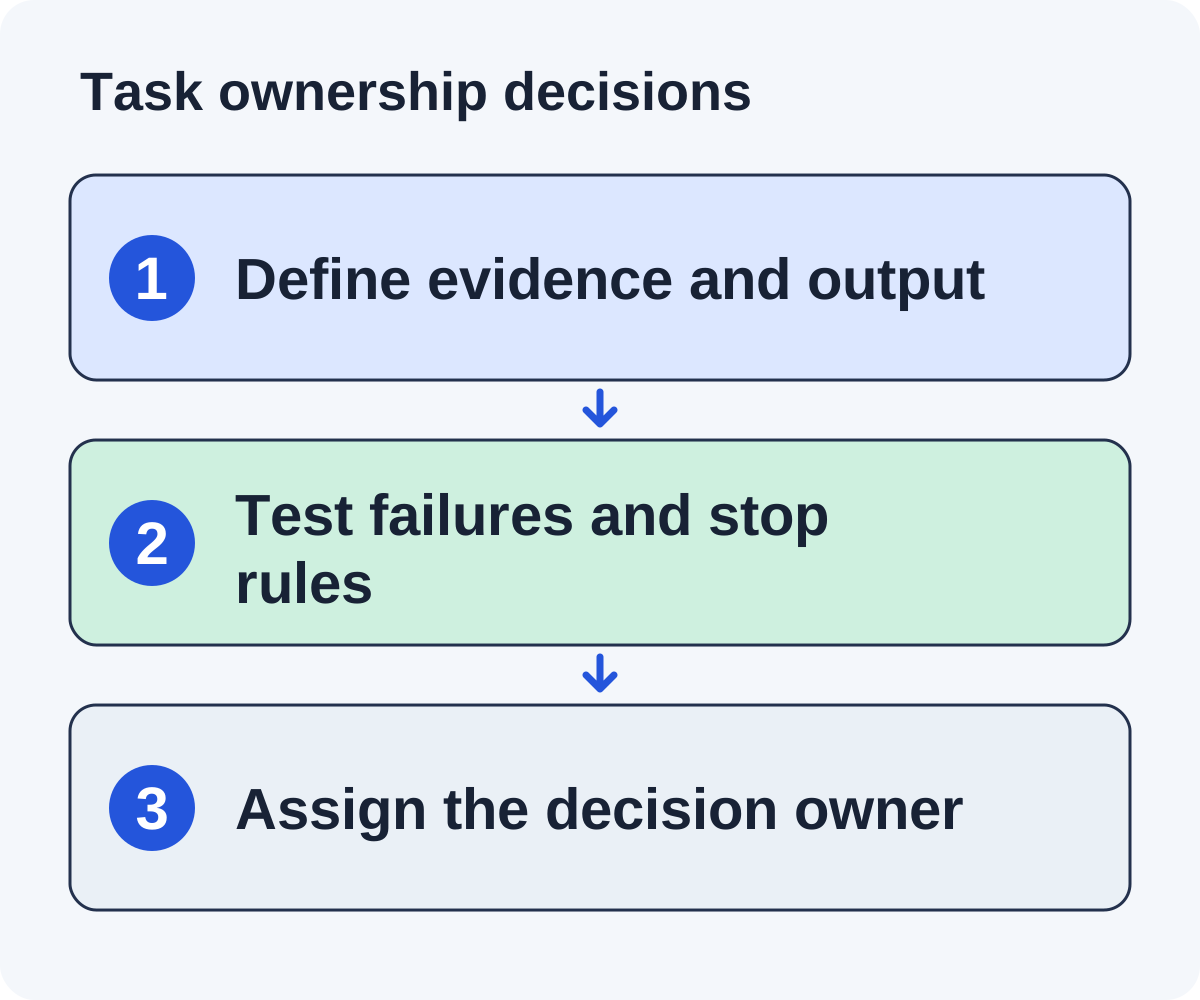
A useful task boundary describes inputs, output, owner, and failure behavior. “Automate outreach” leaves those choices hidden. “Collect candidate pages for this public worksheet, retain the page evidence, and send uncertain matches to review” is specific enough to evaluate.
Start by mapping the current process on five real opportunities. Record where someone searches, reads, rejects a candidate, checks a contact, drafts, approves, and follows up. Include rejected cases and conversations, not only successful drafts. Otherwise the map will omit much of the work a future tool needs to handle.
For each step, ask what happens when its input is missing or wrong. An unavailable page should remain unqualified. An ambiguous contact should remain under investigation. An unsupported product claim should block release of that claim. State these conditions explicitly before testing a tool.
Keep the authority to commit separate from the ability to prepare. Software can draft a response to an editor without being authorized to agree to a sponsorship, promise a new feature, or release confidential information. Assign an owner for unusual commitments and make the escalation path visible.
Automation can enforce a dependable process when those boundaries are clear. A manual process can also be dependable when its records and handoffs are maintained. Judge both against the same observable outcomes: accurate evidence, appropriate requests, correct state transitions, and completed follow-through.
Keep the final editorial objective clear: a relevant publisher has enough accurate information to decide whether your resource helps. More messages are not the same thing as completing that objective.
Use a task ownership matrix
| Task | Useful automation role | Human decision to preserve |
|---|---|---|
| Discovery | Collect and deduplicate candidate pages | Audience, asset, and exclusion rules |
| Qualification | Summarize relevant page evidence | Whether the contribution truly fits |
| Drafting | Compose from verified inputs | Claims, tone, and editorial request |
| Sending | Enforce schedule and stop conditions | Policy and approval boundaries |
| Replies | Organize and flag conversations | Commitments and unusual decisions |
This matrix is a recommended starting point. Your organization may require additional reviews. Describe those requirements explicitly instead of assuming a vendor’s default mode covers them.
For missing evidence or conflicting claims, require an investigation state. Silence should not be converted into automatic approval.
Compare two illustrative team workflows
A founder testing a new asset: Automate candidate collection and draft preparation, then review every page and message. Handle replies personally and verify each placement. The purpose is to learn the fit criteria before reducing review.
A small team with an established campaign: A researcher maintains asset facts and exclusions, a reviewer checks uncertain opportunities, and a reply owner handles conversations. Routine operations may be more automated once failure and stop behavior has been tested.
These are hypothetical workflows, not measured customer examples. The second is not automatically better: a new product claim or a new audience can justify returning to closer review.
Choose a process that matches the people available. If nobody can answer editor questions, increase reply capacity before increasing sends.
Compare a manual and assisted pilot on the same workload
Use a small sample of similar opportunities and log the work. The following is an arithmetic example with invented inputs, not a measured Linkade productivity result. Suppose a team reviews ten candidate pages under each workflow and accepts six in both samples.
| Task | Manual assumption | Assisted assumption |
|---|---|---|
| Collect and organize candidates | 30 minutes | 10 minutes |
| Review page fit and contact evidence | 50 minutes | 50 minutes |
| Prepare and check six drafts | 48 minutes | 30 minutes |
| Resolve errors and duplicate records | 10 minutes | 20 minutes |
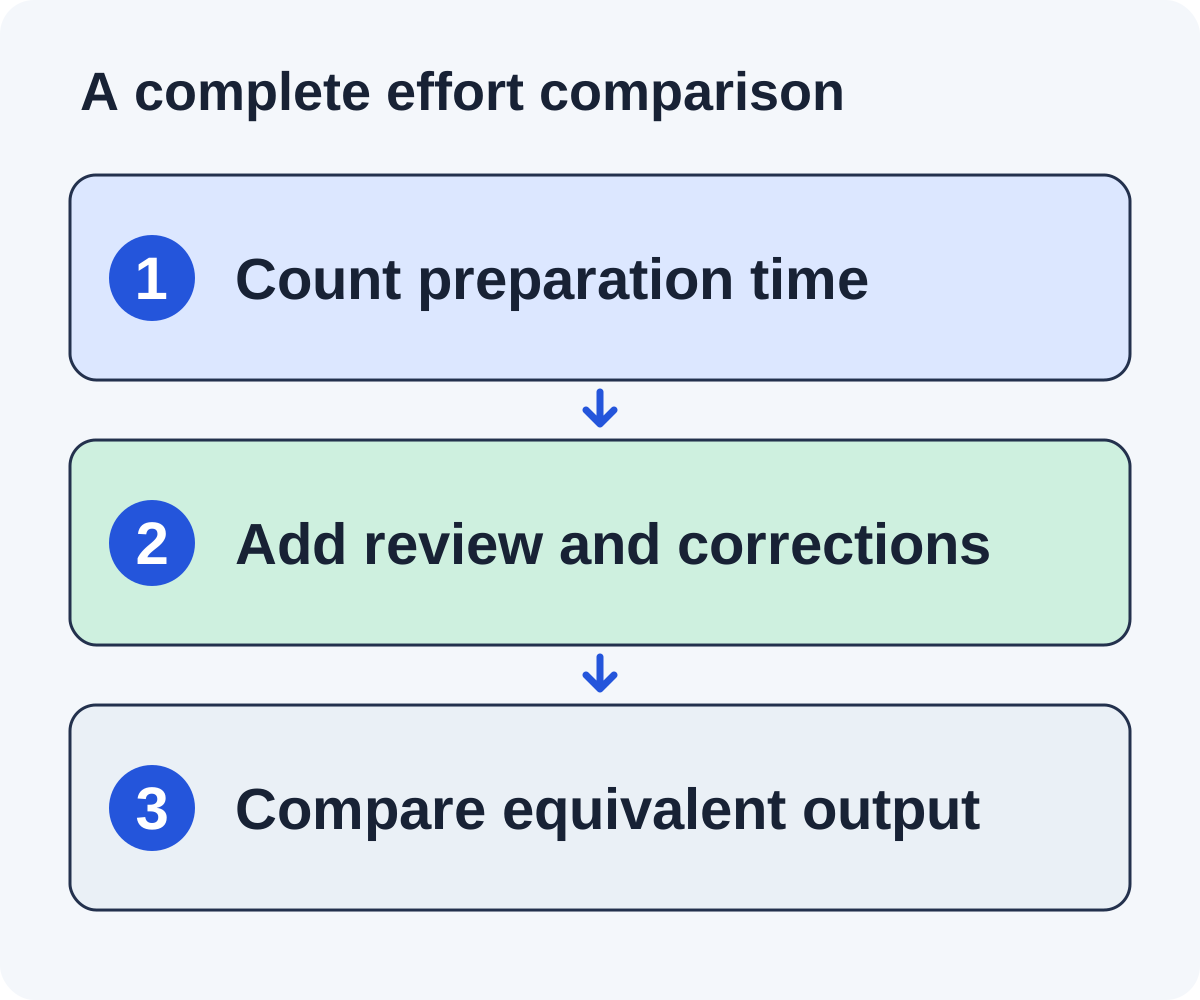
The assumed totals are 138 minutes manually and 110 minutes with assistance. The apparent saving is 28 minutes, not the 38 minutes saved in collection and drafting alone. Error handling added ten minutes. If another tool creates more checking work, the total can move in the opposite direction.
Now inspect quality. Were the accepted pages equally relevant? Did the drafts preserve the same verified claims? Were any contacts repeated? Did the tool leave uncertainty visible? A faster pilot that releases unsupported requests is not equivalent work.
Count reviewable opportunities and approved drafts rather than generated text. Keep reply handling and placement verification in the next phase of the comparison. Both workflows must still answer editor questions and confirm actual outcomes.
Use your measured inputs to decide which task to change next. If research quality is the bottleneck, automating another follow-up is unlikely to resolve it. If duplicate history is the bottleneck, better shared state may matter more than a faster drafting engine.
Measure the work that remains
Track minutes spent on qualification, claim checking, edits, replies, and verification. Also count errors caught and opportunities rejected. Compare a similar sample of prospects before and after changing the workflow.
If automation saves drafting time but creates more checking work, include that checking in the comparison. If it discovers more candidates but few pass fit checks, measure accepted prospects rather than list size.
Use explicit assumptions when forecasting capacity. For example, 60 review minutes divided by six minutes per opportunity gives ten reviews. That is arithmetic based on your input, not a proven productivity gain.
Keep subscription cost and labor in the same budget, while separating them from any commercial placement fees.
Test stop conditions before releasing a larger batch
Prepare a test record for each important branch: a duplicate opportunity, missing page evidence, an uncertain contact, a human reply, an out-of-office notice, a decline, a bounce, and an opt-out. Use fictional or redacted data in an approved test environment. The purpose is to inspect behavior before a real campaign depends on it.
For every branch, write the expected state and owner. A human question should stop the follow-up sequence and reach the reply owner. A decline should close the request. An opt-out should remain suppressed when the same contact appears in another import. An uncertain automated notice should be reviewed rather than assumed to authorize another message.
Check the visible result, not only a settings checkbox. Inspect the queue, history, and next scheduled action after the event. If a message is already queued elsewhere, confirm that the new state prevents release. If two people can act on one conversation, establish how ownership avoids duplicate answers.
When behavior fails, reduce the automation boundary and correct it. Draft preparation can remain assisted while release stays reviewed. A rollback should preserve records and suppression history rather than returning the team to an untracked spreadsheet.
Repeat the relevant cases when you change sender integration, import behavior, campaign ownership, or follow-up rules. You do not need to re-evaluate every unrelated feature each time. Test the boundary that changed and keep the result with the campaign’s operating notes.
Change automation in small, observable steps
Test one boundary at a time. Confirm the handling of missing page evidence, duplicate contacts, replies, declines, bounces, and opt-outs before making release more automatic.
Linkade runs in Copilot, where you approve each email before it sends, or Autopilot, where it sends emails that match the campaign’s brief without approval. It keeps site evidence and send records, and your team writes every reply. Evaluate those modes against your requirements rather than enabling automatic release simply because it is available. If your team would rather research and write every pitch itself, Linkade vs BuzzStream shows where an outreach CRM fits better.
Document what triggers another human check: new pricing, a changed asset, a different recipient type, or an unusual commercial request. Keep an owner who can pause the campaign.
The AI review guide gives a claim-checking method. Use the worksheet below to choose an appropriate ownership model and revisit it when the campaign changes.
Automate record preparation before changing release authority
A fictional small agency already reviews each pitch but loses time copying page observations into a shared tracker. Its first automation opportunity may be structured record preparation rather than automatic sending.
Define an input packet containing the page URL, relevant heading, checked observation, asset facts, contact source, and uncertainty. The assistant can organize those fields into an opportunity record and prepare a draft. The reviewer retains the fit and release decisions.
Test whether the record preserves source URLs and marks missing facts. If it summarizes an inaccessible page as a confident observation, the boundary is too loose. If it fills an unknown contact role from an email address, the output needs correction before it reaches the ready queue.
Measure the copying time saved and the checking work added. Include duplicate resolution and rejected opportunities. A shorter preparation stage is useful only if the record remains accurate and the reviewer can locate its evidence.
After the task works reliably, consider the next bottleneck. It may be coordinating replies or preserving publisher history, not increasing send volume. Change one boundary at a time so the effect remains observable.
This path lets a team improve workflow without treating automation as one large switch. Preparation, approval, release, and commitments are separate authorities. Software can help at each stage, but the operating agreement should state which decisions it is allowed to make.
Choose a workflow that your team can maintain
Match release volume to review and reply capacity. A solo founder with one hour a week may benefit from organized research and drafts but still need a very small sending batch. A team with established evidence rules can delegate routine preparation while reserving exceptions for a reviewer. Neither setup makes the asset itself useful; that remains a separate content decision.
Write a short operating agreement: who owns asset facts, who approves new claims, who can pause release, who answers replies, and who verifies placements. Name a backup for time-sensitive conversations. Keep this agreement near the tracker so it survives a teammate being away.
When should a task return to closer review?
Use a new audience, changed product facts, repeated factual corrections, uncertain contact ownership, or an unexpected commercial request as reasons to revisit the boundary. A process that worked for a public worksheet may require different checks for a product roundup.
Is Autopilot a substitute for campaign ownership?
No. Linkade offers Copilot, where you approve each email, and Autopilot, which sends without approval, but the team still needs to define the asset, facts, exclusions, and people responsible for conversations. Linkade does not write replies; a person answers each one. Evaluate the actual records and stop behavior before increasing automatic release.
Maintain the work log long enough to see whether a change reduces total effort. Include research, corrections, replies, and verification. The right conclusion may be to automate one task, keep another manual, and improve the asset before scaling the campaign.
Put it to work
Use the companion worksheet to apply the decisions in this guide to your own campaign.
Download the worksheet (.txt)See what is worth pitching for your site.
Linkade finds relevant pages and writes pitches from their content. Add your domain and inspect prospects before choosing a paid plan.
Start free