Build a Link-Building Outreach Tracker: Fields and Workflow
By Jake9 min read
On this page
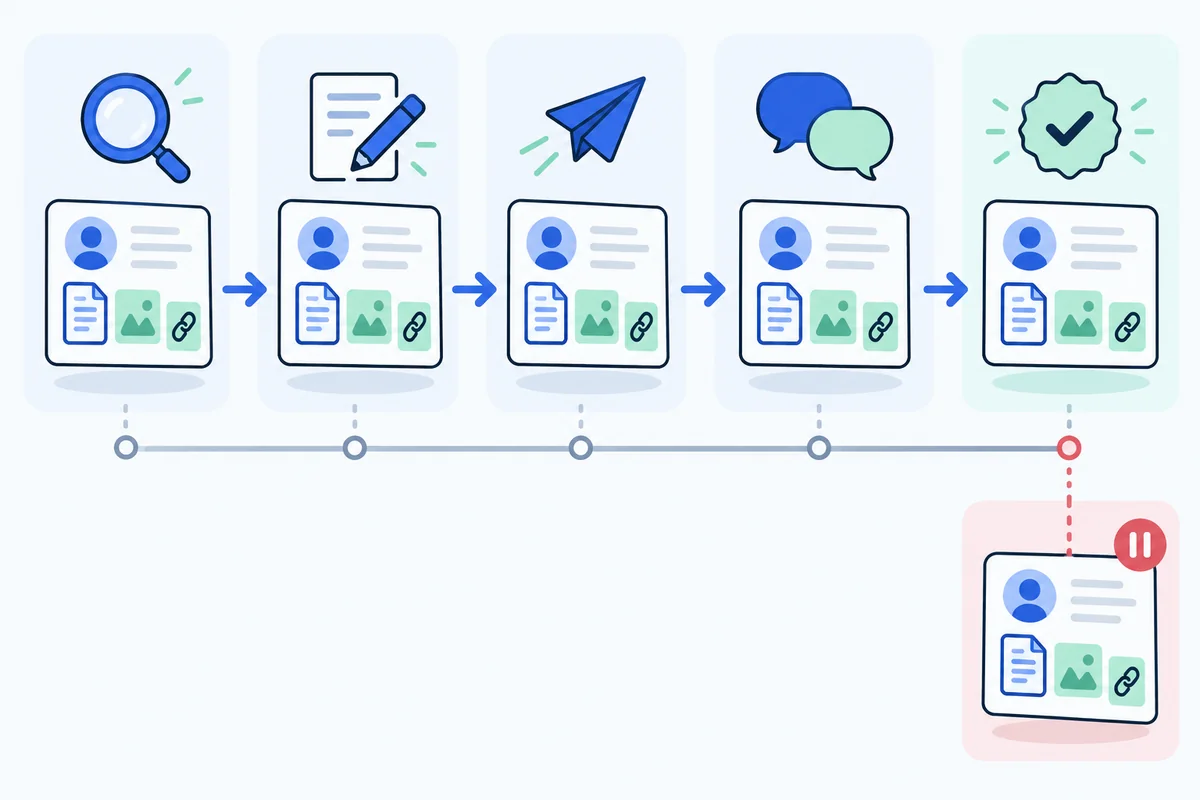
An outreach tracker should preserve why a page deserves a pitch, what happened in the conversation, and whether a reference is actually live. Start with clear records and states. You can use a spreadsheet, CRM, or application, provided the workflow keeps evidence and next actions together.
What you’ll learn
- Separate opportunity, contact, message, and placement information.
- Use states that have clear entry requirements.
- Track an owner and next action for every open conversation.
Separate opportunities, contacts, and conversations
A spreadsheet can work well if its rows have a clear meaning. Use an opportunity ID for a specific referring page and proposed contribution. Use a publisher ID to group pages under shared ownership. Contact and conversation records can then point to those IDs without pretending that every combination is a new opportunity.
For a small tracker, separate tabs are often enough: opportunities, publisher and contact history, messages and replies, and verified placements. You can also keep them in one application if the relationships remain visible. The goal is to preserve decisions, not to reproduce a complex CRM before you have a campaign.
Choose a few stable fields first. An opportunity needs its page URL, relevant section, observed need, asset URL, fit decision, owner, and next action. A contact needs a role, source URL, checked date, eligibility state, and suppression state. A send record needs the released message and timestamp.
Do not use color alone to represent a state. Write the state explicitly so filtering, exports, and accessibility do not depend on interpreting a cell’s fill. Keep dates in a consistent format and distinguish a planned action date from the date something actually happened.
Retain the original URL and add normalized or updated URLs separately when necessary. A migration or tracking parameter should not erase the record that explains how the opportunity was discovered.
Give records a stable identifier so a changed URL or new contact does not erase history. Store discovery source and date. This helps resolve duplicate imports later.
Create the minimum useful fields
| Group | Fields | Purpose |
|---|---|---|
| Opportunity | Page URL, section, observation, asset URL, fit decision | Explain why the request exists |
| Contact | Role, source, checked date, eligibility, suppression state | Explain the chosen route |
| Message | Draft version, reviewer, send time, thread reference | Preserve what was released |
| Conversation | Reply type, owner, next action, due date | Make follow-through clear |
| Placement | Referring URL, destination, context, attributes, verified date | Distinguish an actual outcome |
Add fields only when someone will use them to decide or verify something. A large tracker with ambiguous scores can be harder to operate than a small one with clear evidence.
Keep contact data in an appropriate restricted workspace. Use redacted or fictional records when demonstrating the tracker publicly.
Define states with entry conditions
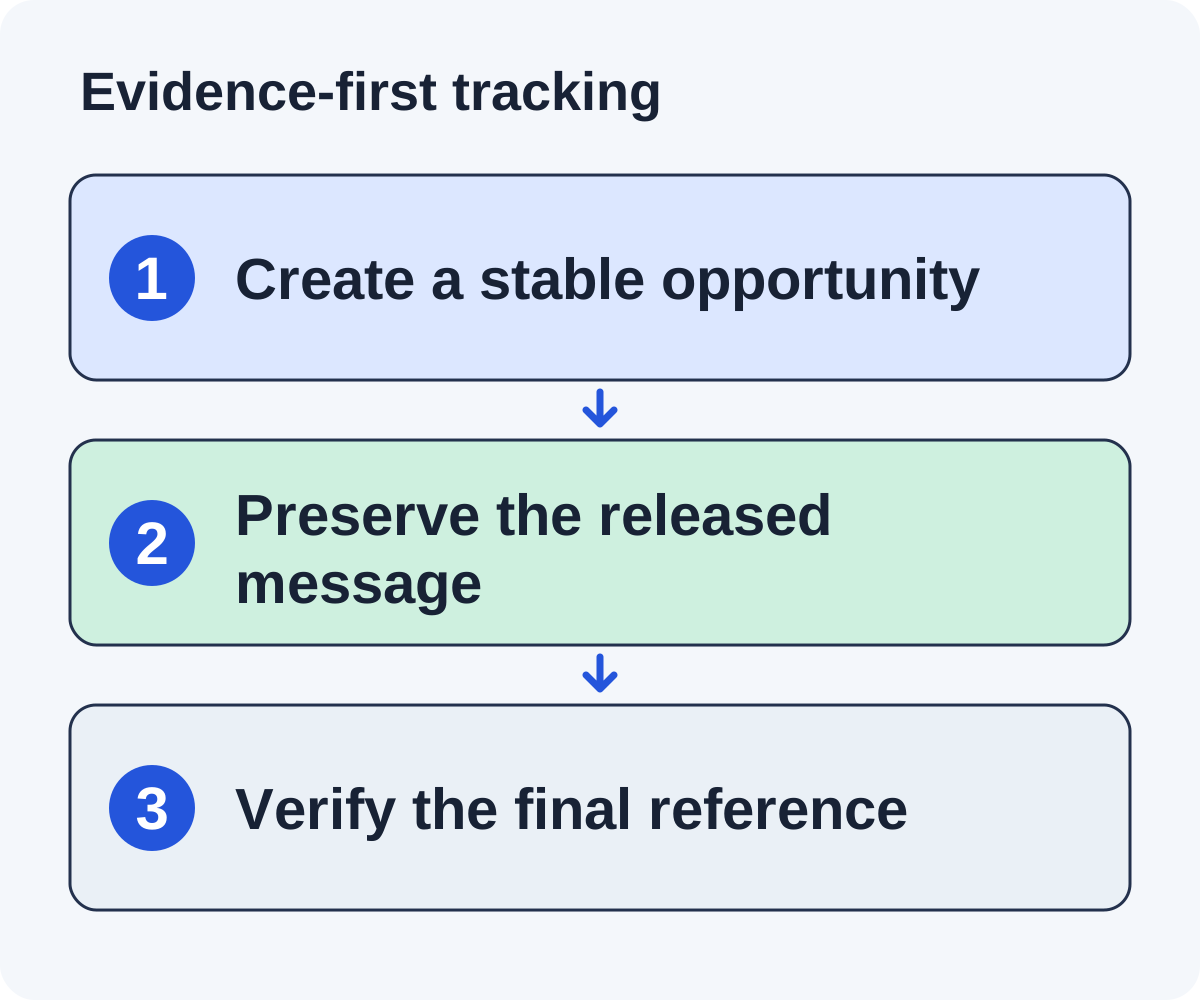
A practical sequence is discovered → investigating → qualified → draft ready → approved → sent → conversation → closed or placement verified. These are suggested workflow states, not a required vendor implementation.
Qualification requires page fit and contribution evidence. Approval requires checked claims and sending eligibility. “Sent” requires an actual send record. “Placement verified” requires inspecting the live referring page.
Keep rejected, declined, bounced, and suppressed states distinct. A rejected page may be a poor editorial fit; a suppressed address must not re-enter a sending queue because another campaign found it.
Do not let a state label carry more meaning than the evidence. “Interested” is not “placed,” and “approved” is not “sent.”
Populate a record through a complete fictional campaign
The example below uses fictional people and pages. Opportunity OP-001 concerns a founder finance tutorial and a public refund worksheet. The stable ID stays the same throughout the campaign.
| Event | Evidence added | State and next action |
|---|---|---|
| Discovery | Tutorial URL and query source | Investigating: read the annual-plan section. |
| Qualification | Missing refund example and checked asset fit | Qualified: verify page owner. |
| Approval | Contact source, reviewed draft, reviewer date | Approved: release under campaign policy. |
| Send | Exact message, timestamp, thread reference | Sent: await response under bounded policy. |
| Editor question | Request for calculation assumptions | Conversation: owner answers with documentation. |
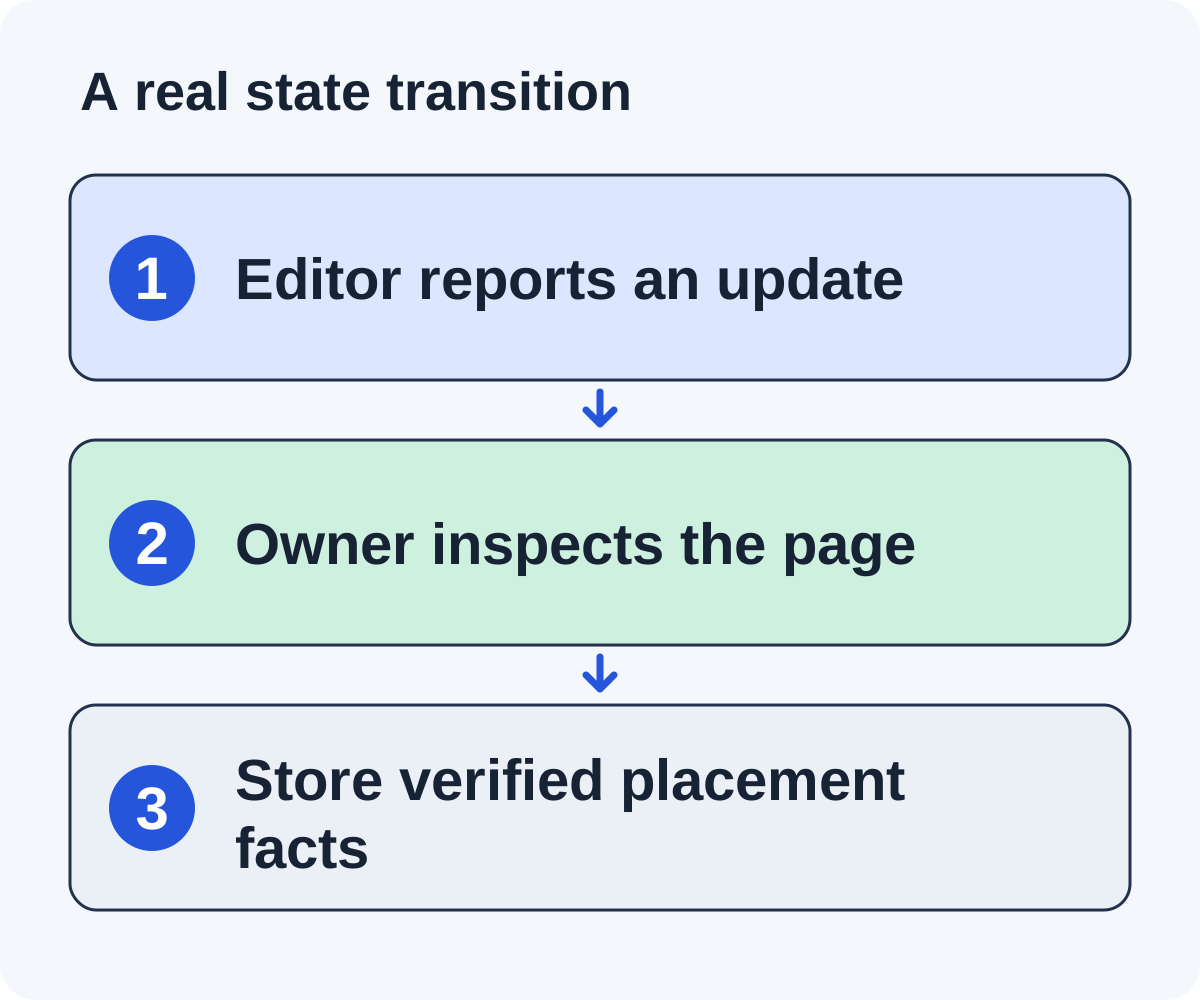
| Reported update | Editor says the resource was added | Pending verification: inspect the page. |
| Live check | Destination, context, attributes, checked date | Placement verified: schedule maintenance as needed. |
The record should not jump directly from a positive reply to a verified placement. If the editor says the next update is scheduled, preserve that commitment and assign a later check. If the page cannot be inspected, keep verification pending with the reason.
If the editor declines, close this request and preserve the decision in publisher history. If they ask not to be contacted, add the relevant suppression under your approved policy. These are different outcomes and should not share a generic “closed” field that loses the distinction.
Keep the message actually sent even if you later improve the template. A draft revision should create a new version rather than rewrite the historical send. That history helps explain replies and investigate a factual error.
Walk through an illustrative transition
A fictional record starts with a SaaS finance tutorial. The researcher finds a relevant annual-plan section and a useful refund worksheet. The record becomes qualified only after the contribution and contact route are checked.
The reviewer approves a draft after confirming its page observation and product facts. The sender records the release time and thread. An editor asks for the calculation assumptions, so the state becomes conversation and an owner gets the next action.
When the editor says the worksheet will be added, record a promised addition. Keep it separate from the placement field until someone opens the live page and verifies the reference.
If the editor declines instead, close the request and stop follow-ups. Preserve that history across campaigns.
Create views that expose stalled work
A daily view should answer what needs action and who owns it. Start with research waiting for evidence, drafts waiting for approval, conversations waiting for an answer, and reported placements waiting for verification. Each view needs an owner and next action, not merely a count.
Use exception filters for missing owners, overdue actions, duplicate publisher contact, approved drafts without eligibility evidence, and inconsistent suppression states. These filters find workflow failures that a dashboard showing only total sends can hide.
Keep waiting distinct from overdue. An editor who says “we update next month” creates a planned check, not an immediate failure. An unanswered question assigned to nobody creates an operational problem now. Store the reason and due date so the team can tell them apart.
Review publisher-level history before release. Several relevant pages can still belong to one editorial team. Coordinate the request instead of sending multiple independent pitches to the same person from separate spreadsheet rows.
At the end of a review, every open item should have an action, owner, and date or a clear waiting condition. Close records that require no further work. Otherwise yesterday’s follow-up date can become tomorrow’s accidental queue.
Operate a daily view without losing history
Create views for items awaiting research, drafts awaiting review, conversations needing replies, and placements needing verification. Sort by next action and owner rather than a vague overall priority score.
At each review, check records with overdue actions, missing owners, conflicting suppression states, or duplicated contacts. Decide whether to act, pause, or close them.
Keep a change history for important decisions and the exact message that was sent. A new draft should not overwrite the only record of an old send.
The reply management guide expands conversation triage when available. Use the downloadable text template to sketch fields and states before building a more elaborate system.
Keep two page opportunities from becoming two conflicting conversations
A fictional publisher owns an API migration tutorial and a developer resource collection. Your checklist may fit both, but the same editorial desk manages them. Create two opportunity records linked to one publisher record rather than treating them as independent sending rights.
Inspect which request should lead. The tutorial may need a specific rollback example, while the collection has a general checklist category. Coordinate one appropriate contact route and retain both fit notes. If the editor asks which page you mean, the conversation owner should be able to answer precisely.
A decline about the tutorial’s scope may close that opportunity without automatically proving the collection is unsuitable. An instruction not to contact the publisher requires the relevant stop state under your policy. Preserve the wording and scope rather than letting one generic “closed” status decide every future case.
If the editor adds the checklist to the collection, attach the verified reference to that opportunity. Do not mark the tutorial placed as well. If both pages are updated, inspect and record both referring URLs separately.
Assign a single conversation owner even when several opportunities share the thread. Store next actions per opportunity where necessary, while avoiding duplicate generic follow-ups.
This relationship model prevents two common errors: double-counting one editorial outcome and sending competing messages to one desk. A tracker needs enough structure to preserve those distinctions without turning every page-contact combination into a new campaign.
Import and export without losing suppression or evidence
Before importing a new list, define how existing records are matched. Exact page URLs, normalized URLs, publisher identity, and contact identity each serve different purposes. Do not merge unrelated pages just because their domains match, and do not create a new sending eligibility state simply because a contact has a new row.
Run a small trial import containing an existing opportunity, a second page from the same publisher, a changed URL, and a suppressed contact. Inspect how each case appears. The suppression and historical decline should remain effective across campaigns, not only inside the original file.
Export a sample and confirm it contains the evidence your team needs: fit notes, source URLs, message history, state, next action, and verified placement details. If a vendor exports only names and email addresses, you may lose the reasoning that made the campaign reviewable.
Limit access to contact data appropriately and use fictional or redacted examples in public demonstrations. The companion worksheet is a planning artifact; avoid placing real personal contact information into a public document or repository.
When should we move beyond a spreadsheet?
Consider it when concurrent ownership, duplicate history, follow-up state, or message records become difficult to maintain reliably. Choose the next tool against those observed failures, and test migration before the spreadsheet becomes an unreviewed second queue.
Put it to work
Use the companion worksheet to apply the decisions in this guide to your own campaign.
Download the worksheet (.txt)See what is worth pitching for your site.
Linkade finds relevant pages and writes pitches from their content. Add your domain and inspect prospects before choosing a paid plan.
Start free